How to Organize Customer Information Without Spreadsheets
Summary
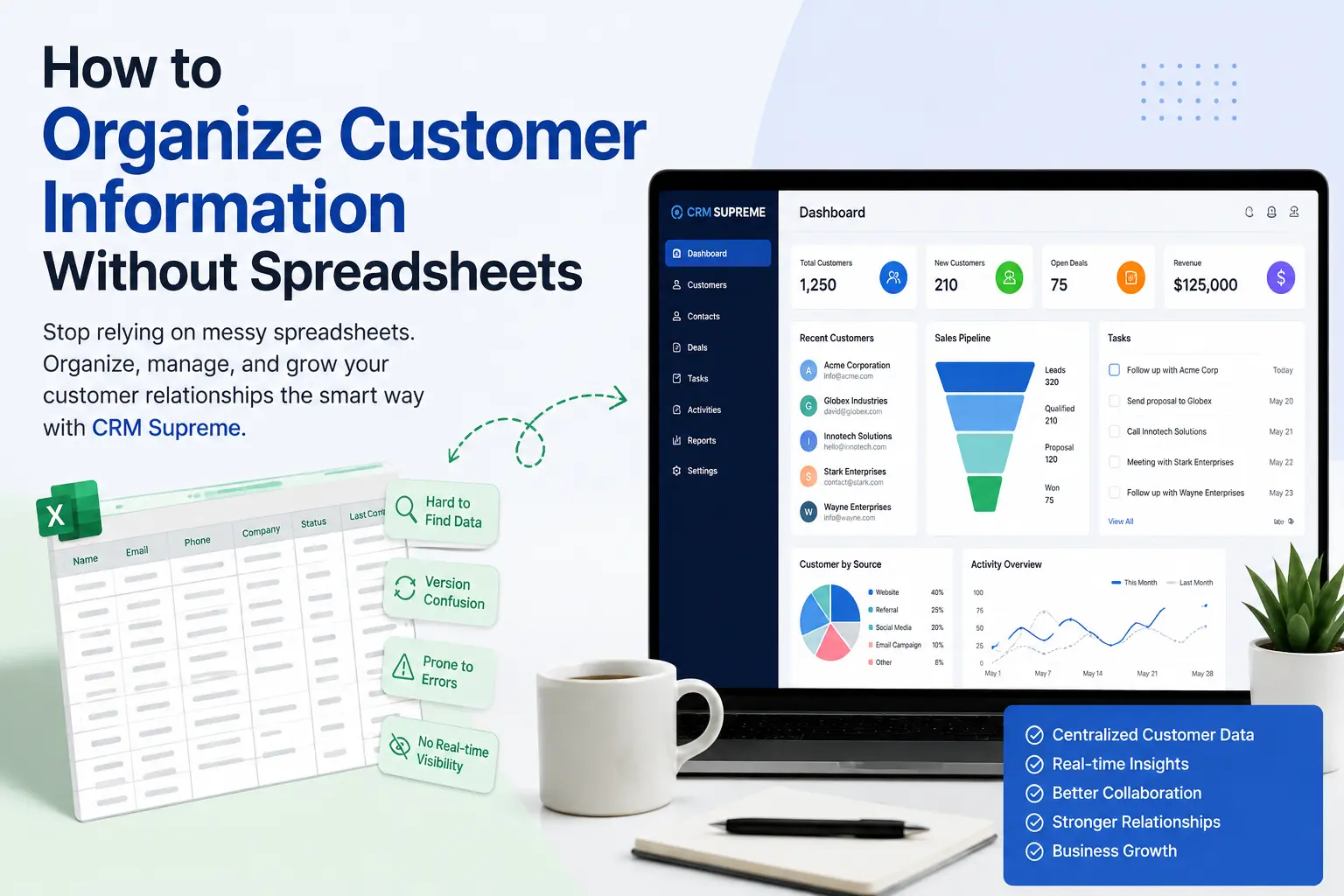
Managing customer information in spreadsheets may work for small businesses, but growing teams often face duplicate records, scattered data, missed follow-ups, collaboration issues, and difficult reporting. A CRM provides a centralized way to organize customer details, track interactions, manage tasks and follow-ups, and keep information accessible across the team. This guide explains how to move beyond spreadsheets by centralizing and standardizing customer data, removing duplicates, segmenting contacts, tracking interactions, and controlling access—while highlighting the benefits of using a CRM as your business grows.
If your business is still managing customer information in Excel or Google Sheets, you're not alone. Many startups and small businesses begin with spreadsheets because they are familiar, affordable, and easy to use.
However, as your business grows, spreadsheets often become difficult to maintain. Customer details get duplicated, important follow-ups are missed, files are shared across multiple team members, and finding the latest information becomes frustrating.
If you've ever wondered whether there's a better way to organize customer information, the answer is yes.
Modern Customer Relationship Management (CRM) software allows businesses to keep customer data organized, accessible, and secure without relying on multiple spreadsheets.
In this guide, you'll learn why spreadsheets eventually become limiting, how to organize customer information efficiently, and when it's time to switch to a CRM.
Quick Answer
The best way to organize customer information without spreadsheets is by using a CRM system. A CRM stores all customer details in one centralized location, making it easier to manage contacts, track interactions, schedule follow-ups, assign tasks, and collaborate with your team. Unlike spreadsheets, a CRM keeps customer information organized, searchable, and up to date as your business grows.
Businesses looking for an all-in-one CRM solution can also explore CRM Supreme, which combines customer management, website management, and business workflows into a single platform.
Why Businesses Start With Spreadsheets
Spreadsheets are often the first tool businesses use because they are simple and require little setup.
A typical spreadsheet might include:
- Customer names
- Email addresses
- Phone numbers
- Company names
- Purchase history
- Notes
- Follow-up dates
For businesses with only a few customers, this approach can work well.
The problem begins when your customer list grows.
Instead of managing 20 contacts, you're managing hundreds or even thousands. Multiple employees may edit the same spreadsheet, creating duplicate records, outdated information, and confusion about which version is correct.
Many businesses initially rely on spreadsheet software such as Microsoft Excel because it's inexpensive and familiar. However, as customer information grows, spreadsheets become increasingly difficult to maintain, collaborate on, and scale.
At that point, spreadsheets become more of a limitation than a solution.
The Problems With Managing Customer Information in Spreadsheets
While spreadsheets are flexible, they weren't designed to manage customer relationships.
Here are some of the most common challenges businesses face.
1. Customer Information Becomes Scattered
Many businesses end up with multiple spreadsheets stored in different folders or shared between team members.
One employee may update a phone number while another continues using an outdated version.
This makes it difficult to know which information is accurate.
2. Duplicate Customer Records
Without a centralized system, it's easy to accidentally create duplicate entries.
For example:
- John Smith
- John A. Smith
- J. Smith
These could all represent the same customer.
Duplicate records can lead to repeated emails, inconsistent communication, and inaccurate reporting.
3. Important Follow-Ups Get Missed
A spreadsheet won't automatically remind you to call a customer next week or send a proposal tomorrow.
As your workload increases, missed follow-ups can result in lost sales and unhappy customers.
4. Collaboration Becomes Difficult
When multiple team members edit the same spreadsheet, problems can quickly arise.
Common issues include:
- Accidental deletions
- Formatting errors
- Overwritten data
- Version conflicts
- Missing updates
Without clear permissions or activity tracking, collaboration becomes inefficient.
5. Reporting Takes Too Much Time
Need to know:
- How many leads became customers?
- Which sales representative closed the most deals?
- How many customers haven't been contacted recently?
Finding these answers in spreadsheets often requires manual filtering, formulas, or creating additional reports.
A CRM provides this information much more efficiently.
What Is the Best Way to Organize Customer Information?
Instead of storing customer data across multiple spreadsheets, use a centralized CRM platform.
A CRM keeps all customer information in one place and allows your team to manage relationships throughout the customer journey.
Information typically stored in a CRM includes:
- Contact details
- Company information
- Notes
- Emails
- Phone call history
- Tasks
- Appointments
- Sales opportunities
- Documents
- Purchase history
- Customer status
Rather than searching through several files, your team can access the latest customer information from a single system.
How to Organize Customer Information Effectively
Step 1: Centralize All Customer Data
Begin by gathering customer information from every source.
This may include:
- Excel spreadsheets
- Google Sheets
- Email contacts
- Contact forms
- CRM exports
- Sales records
- Customer databases
Combining your data into one centralized system reduces confusion and makes future management much easier.
Step 2: Standardize Your Customer Records
Consistency improves data quality.
For example, decide on one format for:
- Names
- Phone numbers
- Addresses
- Company names
- Job titles
- Notes
Standardized records make searching, reporting, and filtering much more reliable.
Step 3: Remove Duplicate Records
Duplicate contacts create unnecessary work.
Review your customer database for repeated:
- Email addresses
- Phone numbers
- Companies
- Customer IDs
Keeping only one complete record for each customer helps maintain accuracy.
Step 4: Group Customers Into Categories
Organizing customers into segments makes communication more relevant.
Examples include:
- New leads
- Active customers
- Returning customers
- VIP clients
- Inactive customers
- Business customers
- Individual customers
Segmentation also improves marketing and customer support.
Step 5: Track Every Customer Interaction
Every interaction matters.
Keep a record of:
- Phone calls
- Meetings
- Emails
- Quotes
- Support requests
- Purchases
- Follow-up notes
This creates a complete customer history that your entire team can access.
Step 6: Schedule Follow-Ups
Customer relationships require consistent communication.
Instead of relying on memory, create reminders for:
- Sales calls
- Product demonstrations
- Proposal follow-ups
- Renewal reminders
- Customer check-ins
This helps ensure that opportunities don't slip through the cracks.
Step 7: Control User Access
Not every employee needs access to all customer information.
Assign appropriate permissions based on each team member's role.
This improves both security and accountability.
Benefits of Using a CRM Instead of Spreadsheets
Moving from spreadsheets to a CRM provides several long-term advantages.
Better Organization
Every customer record is stored in one centralized location.
Improved Team Collaboration
Your team works with the same information instead of multiple spreadsheet versions.
Faster Customer Support
Employees can quickly access customer history during conversations.
Better Sales Tracking
Monitor leads, opportunities, and completed sales more effectively.
Improved Productivity
Automation reduces repetitive manual tasks and helps teams focus on building customer relationships.
Stronger Data Security
Modern CRM systems typically offer user permissions, secure access controls, and data management features that are difficult to replicate with spreadsheets alone.
Signs You've Outgrown Spreadsheets
It may be time to switch if:
- Your customer list continues to grow.
- Multiple people manage customer information.
- You miss follow-ups.
- Finding customer records takes too long.
- Duplicate records are common.
- Reporting is becoming difficult.
- Sales opportunities are slipping through the cracks.
If several of these situations sound familiar, a CRM can provide a more scalable way to manage your customer data.
Spreadsheet vs CRM
|
Spreadsheet |
CRM |
|
Manual updates |
Centralized customer management |
|
Limited collaboration |
Team-based access |
|
No automated reminders |
Task and follow-up management |
|
Difficult reporting |
Real-time dashboards and reports |
|
Higher risk of duplicate records |
Organized customer profiles |
|
Limited scalability |
Designed to grow with your business |
Best Practices for Managing Customer Information
To keep your customer data organized:
- Update records regularly.
- Remove duplicate contacts.
- Verify customer information periodically.
- Keep notes clear and consistent.
- Segment customers based on meaningful criteria.
- Restrict access where appropriate.
- Review inactive contacts.
- Monitor customer interactions.
- Back up important data according to your organization's policies.
- Use one centralized system whenever possible.
Following these practices helps maintain accurate information and improves collaboration across your team.
How CRM Supreme Helps You Organize Customer Information
Managing customer information should not require dozens of spreadsheets.
CRM Supreme provides a centralized platform where businesses can manage customer records, website content, pages, users, products, and other business information from one place.
Instead of switching between multiple files and tools, teams can organize customer data, track interactions, manage follow-ups, and collaborate more efficiently.
As your business grows, having a single platform for customer management can reduce manual work and make it easier to maintain accurate records.
Whether you're replacing spreadsheets or looking for a more scalable solution, CRM Supreme helps simplify customer information management while supporting your team's daily workflow.
If you'd like to learn more about the platform and its mission, visit our About CRM Supreme page. You can also discover how the platform improves productivity in our article on Navigating the Landscape of CRM and CMS: How CRM Supreme Is Redefining User Experience.
Frequently Asked Questions
Why shouldn't I use spreadsheets to manage customer information?
Spreadsheets are useful for small datasets, but they become difficult to manage as your customer base grows. They often lead to duplicate records, missed follow-ups, version conflicts, and time-consuming manual updates.
What is the best way to organize customer information?
Using a CRM is generally the most effective approach. A CRM centralizes customer records, tracks interactions, schedules follow-ups, and supports collaboration across your team.
When should I switch from spreadsheets to a CRM?
Consider switching when your customer database is growing, multiple team members need access, follow-ups are being missed, or reporting has become difficult.
Can a CRM improve customer service?
Yes. A CRM gives your team access to complete customer histories, making it easier to provide faster and more personalized support.
Is CRM software only for large businesses?
No. Many CRM platforms are designed specifically for startups and small businesses, helping them stay organized as they grow.
Final Thoughts
Spreadsheets are a practical starting point, but they are not designed to manage long-term customer relationships.
As your business grows, keeping customer information organized becomes increasingly important. Centralizing your data, eliminating duplicates, tracking interactions, and scheduling follow-ups can improve both efficiency and customer satisfaction.
A CRM provides the tools needed to manage customer information more effectively while supporting collaboration, reporting, and business growth.
If you're ready to move beyond spreadsheets, CRM Supreme offers an all-in-one platform that helps businesses organize customer information, streamline workflows, and build stronger customer relationships from a single, centralized system.
You may also enjoy reading our guide on Empowering Designers with CRM Supreme, which explains how centralized business management tools improve collaboration and efficiency across teams.
About the author

Jordan Mitchell is a strategic advisor and thought leader based in San Francisco, specializing in transforming technological initiatives into tangible business outcomes. With a keen focus on ROI, risk management, and high-level strategic implications, Jordan empowers tech executives to navigate the complexities of innovation. Through insightful analysis and a forward-thinking approach, he has guided numerous organizations towards achieving significant growth and operational efficiency. Jordan is passionate about equipping leaders with the tools and insights necessary to thrive in an ever-evolving digital landscape.